If you send commercial SMS messages to Indian phone numbers, TRAI's Distributed Ledger Technology (DLT) registration is not optional. Every message — whether a bank OTP, an e-commerce delivery alert, or a promotional campaign — must originate from a TRAI-approved entity, travel through a registered sender ID (header), and match a pre-approved message template. Violations result in immediate message blocking, operator penalties, and potential regulatory action.
This guide covers every step of the DLT registration process as of 2026, including updated portal workflows, common rejection patterns, and how to get your SMS campaigns live without delays.
What Is TRAI DLT and Why It Exists#
The Telecom Regulatory Authority of India introduced the DLT framework in 2018 under its Telecom Commercial Communications Customer Preference Regulations (TCCCPR). The mandate became enforceable for all commercial entities in November 2020.
DLT uses a blockchain-based distributed ledger maintained by Telecom Service Providers (TSPs) — Airtel, Jio, BSNL, and Vi — to record every Principal Entity (business sending SMS), every registered sender ID (header), and every approved message template. When your SMS gateway submits a message, the TSP checks the DLT ledger in real time. If any element — entity, header, or template — is not registered, the message is rejected before it reaches the subscriber.
The goal: eliminate unsolicited commercial communications and spam, give subscribers verifiable information about who is messaging them, and create an auditable chain of responsibility for every commercial message sent in India.
Before You Register: Prerequisites#
Gather the following before starting the DLT registration process. Incomplete documents are the single biggest cause of entity registration rejection.
- PAN Card of the business — Active PAN issued to the entity (company, LLP, partnership, or proprietorship) sending SMS. Individual PANs are accepted only for sole proprietors.
- GST Registration Certificate — Must match the legal name under which you intend to register. If your GST is under a trade name that differs from the legal entity name, prepare an explanation letter.
- Certificate of Incorporation or Business Registration — For companies: MCA Certificate of Incorporation. For LLPs: LLP Agreement. For proprietorships: Shop & Establishment certificate or equivalent.
- Authorised Signatory Details — Name, designation, mobile number, and email of the person who will be the entity's DLT account holder. This mobile number must be reachable for OTP verification.
- Brand Name / Trade Name — The name you want to appear as your sender ID prefix. This must match your registered business or trademark. Mismatches are rejected.
Step 1 — Choose Your DLT Portal#
Each major TSP operates its own DLT portal. Registration on any one portal gives you a Universal Entity ID that is accepted across all operators. You do not need to register separately on every portal.
| Operator | Portal Name | Notes |
|---|---|---|
| Airtel | Airtel DLT (airtel.in/dlt) | Widest industry adoption; recommended for enterprises already on Airtel Business |
| Jio | Jio Trueconnect (trueconnect.jio.com) | Faster template approval turnaround in 2025–26 |
| BSNL | BSNL SMS (smsc.bsnl.co.in) | Government entities often register here first |
| Vi (Vodafone Idea) | Vi Business DLT (vilive.in) | Suitable if existing Vi business account holder |
Step 2 — Entity Registration#
Entity registration creates your Principal Entity (PE) record on the DLT blockchain. This is your business identity for all commercial SMS in India.
- Create an account — On the chosen portal, select "Register as Principal Entity." Enter your authorised signatory's mobile number. You will receive an OTP to verify the number.
- Enter business details — Fill in Legal Name (exactly as on PAN), PAN number, GSTIN, registered address, and business category. Select the correct category — "Bank/NBFC," "Healthcare," "E-Commerce," "Education," "Government," etc. Category determines the template types you can register later.
- Upload documents — Upload PAN card (PDF/JPG, max 2MB), GST certificate, and incorporation/registration document. File names should be descriptive (e.g., "PAN_TextNation.pdf") — portals sometimes reject files with special characters in names.
- Accept T&C and submit — Review the terms and submit. You will receive an acknowledgement email with a reference number. Keep this — it is required if you need to follow up.
- Verification and approval — The TSP verifies documents within 1–3 working days. On approval, you receive your Universal Entity ID (a 19-digit alphanumeric string). This ID is your DLT identity across all TSPs.
Step 3 — Header (Sender ID) Registration#
A header is the sender name that appears on the recipient's phone. TRAI defines three types:
| Type | Format | Used for |
|---|---|---|
| Transactional | 6 letters (e.g., TXTNTN) | OTPs, bank alerts, order confirmations, service updates triggered by user action. Can be sent to DND numbers. |
| Promotional | 6 digits (e.g., 560012) | Marketing, offers, announcements. Cannot be sent to DND-registered numbers. Time-restricted (9am–9pm). |
| Service (Implicit) | 6 letters (e.g., TXTNTS) | Service messages not triggered by a transaction (e.g., appointment reminders, renewal notices). DND rules vary. |
To register a header, navigate to the "Headers" or "Sender IDs" section of your DLT portal. Enter your desired 6-character string, select the header type, link it to your registered entity, and submit. Header approval typically takes 24–48 hours.
You can register multiple headers under a single entity (e.g., separate headers for OTP, alerts, and promotions). Most enterprises register 3–5 headers to segment message types cleanly.
Step 4 — Template Registration and Pre-Approval#
Every message body must match a pre-approved template. Templates define the fixed and variable parts of your messages.
Template types and variable rules#
DLT templates use a {#var#} placeholder syntax for variable content. Key rules:
- Each variable is represented as
{#var#}in the template text. - You cannot have two consecutive variables without fixed text between them.
- The fixed portion of the template must make up the majority of the message content.
- OTP/PIN values count as variables and must use the
{#var#}placeholder. - URLs in templates must be either hardcoded or from a TRAI-whitelisted URL shortener.
- Promotional templates cannot include phone numbers or URLs that redirect to non-branded pages.
Example: OTP template#
// Approved template (Transactional, Header: TXTNTN)
Your TextNation verification code is {#var#}. Valid for 10 minutes. Do not share with anyone. — TextNation
Submitting templates#
- In the DLT portal, go to "Templates" → "Register New Template."
- Select the template type (Transactional / Promotional / Service).
- Select the header this template will be sent from.
- Enter the template content using
{#var#}for each variable. - Provide a brief description of the template purpose (e.g., "OTP for login verification").
- Submit. Approval typically takes 24–72 hours.
- Once approved, you receive a Template ID. This ID must be passed with every API call to your SMS provider.
Common Rejection Reasons and How to Avoid Them#
- Entity name mismatch (very common) — The business name on PAN does not exactly match what was entered in the registration form. Solution: copy the name letter-for-letter from your PAN card.
- Two consecutive variables in a template (very common) — e.g., "Your order {#var#} {#var#} has shipped" is rejected. Fix: "Your order {#var#}, quantity {#var#}, has shipped."
- Template content too short (common) — Very short messages (under 15 characters of fixed text) are frequently rejected for not meeting the fixed-content threshold.
- Wrong template type for a header (common) — Submitting a promotional template against a transactional header. The header type and template type must match.
- Unregistered URL in promotional template (common) — URLs in promotional templates must be from TRAI-whitelisted domains or registered URL shorteners. Bare domain links to external sites are rejected.
- Document quality issues (moderate) — Blurred or cropped PDFs, password-protected files, or files exceeding the 2MB portal limit cause entity registration failures.
Timelines and What to Expect After Registration#
| Step | Typical Timeline |
|---|---|
| Entity registration approval | 1–3 working days |
| Header registration approval | 24–48 hours |
| Template approval | 24–72 hours |
| Entity re-verification (annual) | Required once per year; same timeline |
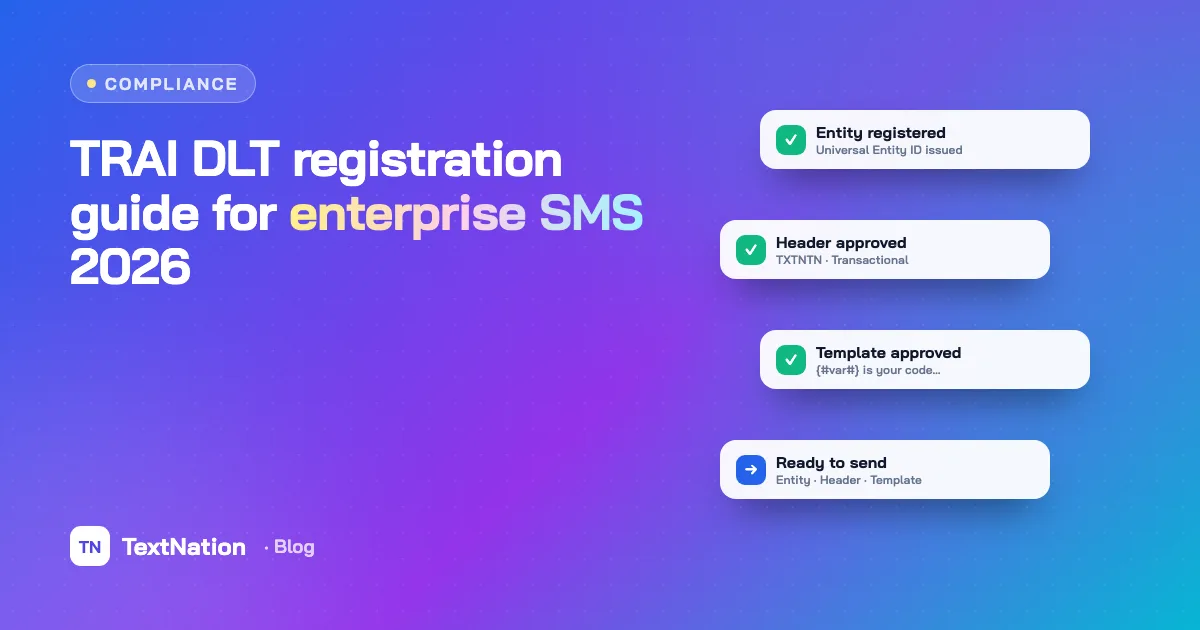
Once all three elements are registered and approved, you are ready to send. Your SMS provider (like TextNation) will need your Entity ID, Header, and Template ID for each message submission. These are passed in the API request so the gateway can include them in the DLT chain.
DLT entities must re-verify annually. You will receive an email reminder from the TSP portal 30 days before expiry. Failure to re-verify results in suspension of all registered headers and templates.
How TextNation Simplifies DLT Compliance#
Managing DLT registration, tracking template IDs, and passing the right DLT parameters with every API call adds overhead to your engineering and operations teams. TextNation's enterprise SMS platform handles this transparently:
- Dedicated DLT onboarding support — our compliance team guides you through entity, header, and template registration on your preferred TSP portal.
- Template ID management — store all approved template IDs in your TextNation dashboard and reference them by name in API calls.
- Automatic DLT parameter injection — the API handles Entity ID and Template ID fields so your application code stays clean.
- DND filtering applied automatically — promotional messages are filtered against the NDNC/DND registry before dispatch.
- Annual re-verification reminders — we flag expiring registrations 45 days in advance.
Our compliance team has guided 500+ enterprises through the TRAI DLT process. Get in touch for a free consultation.
Practical guides on SMS, WhatsApp, RCS and compliance. No spam — unsubscribe any time.

The team that designs and runs TextNation's SMS, WhatsApp, RCS and voice platform. We write about new features, compliance changes and practical ways Indian businesses can reach customers better.