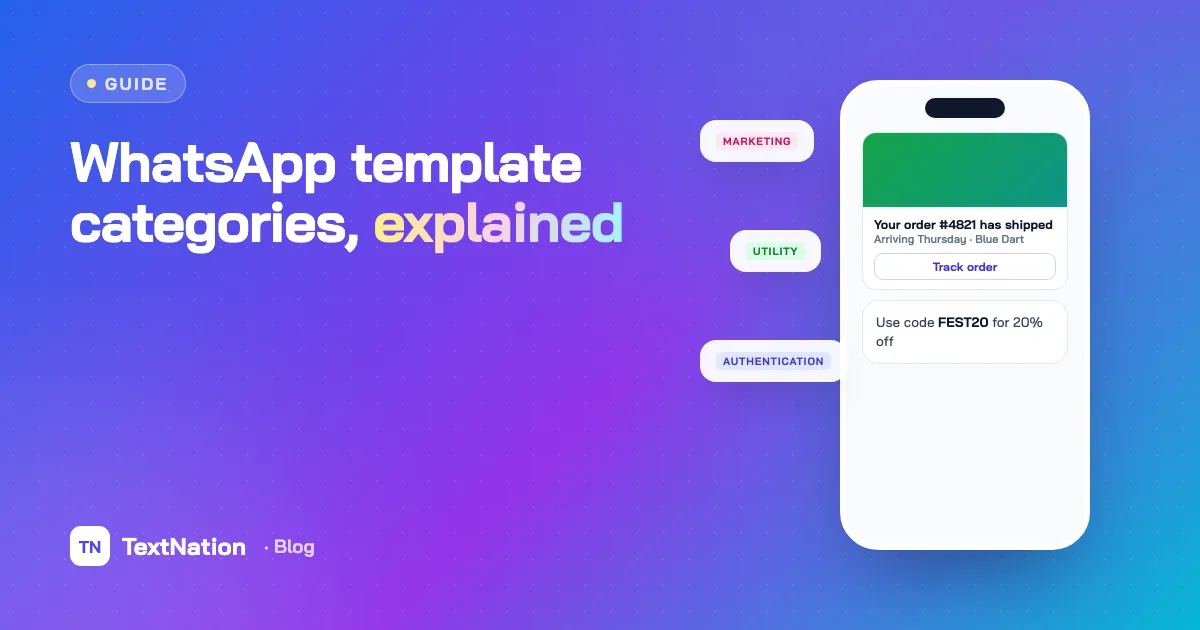
Every business-initiated WhatsApp message goes out as an approved template, and every template belongs to a category: Marketing, Utility or Authentication. The category decides what the message is allowed to say, how Meta reviews it — and what you pay for it.
Getting WhatsApp template categories right is the difference between templates that sail through approval and campaigns that are paused, rejected or billed at a higher rate than you planned. This guide explains each category, how Meta decides, and how to avoid the most common surprises.
The three WhatsApp template categories#
| Category | Use it for | Typical examples |
|---|---|---|
| Marketing | Promotions, offers, re-engagement, anything that sells | Festive sale, abandoned cart, new collection, "we miss you" |
| Utility | Updates about a transaction or account the user already has | Order confirmed, shipment dispatched, payment received, appointment reminder |
| Authentication | One-time codes that verify a user | Login code, payment confirmation code, account recovery code |
The rule of thumb: if the message would still make sense to send even if you had nothing to sell, it's probably Utility. If any part of it promotes something, it's Marketing.
Marketing templates#
Marketing templates are the most flexible. They can include images, video, documents, buttons, links and carousels, and they can promote anything that WhatsApp's commerce policy allows.
They are also the most closely watched. Users can block or report marketing messages, and a template with poor feedback can be paused or limited by Meta. Users can also opt out of marketing messages from a business — so marketing templates need consent, relevance and frequency limits.
Utility templates#
Utility templates confirm, update or remind users about something they already started: an order, a booking, a payment, a support request. They must be specific to that transaction.
What turns a Utility template into Marketing is usually one extra line. "Your order has shipped" is Utility. "Your order has shipped — use code SAVE10 on your next purchase" is Marketing. Meta reviews the whole message, not just the first sentence.
Authentication templates#
Authentication templates carry one-time passcodes, and they are the most structured. Meta provides the message format; you supply the code. The template can add a security disclaimer and an expiry note, and it uses a copy-code or one-tap button so the user can enter the code quickly. Links, media and promotional text are not allowed.
If you're building login flows, an authentication template is a strong fallback when SMS OTPs don't arrive — see our guide on why OTP SMS fails and how to fix it.
How pricing depends on the category#
WhatsApp Business Platform pricing is set per category and per country. Meta charges for template messages by category, with Marketing typically priced highest and Authentication and Utility lower. Utility templates sent while a customer-service window is open (within 24 hours of the user's last message) are not charged.
Rates change, so always check Meta's current rate card for India before planning a large campaign. The point to remember: the category directly changes your cost, which is why recategorisation matters.
When Meta changes a template's category#
This is the surprise that catches most teams. You get a template approved as Utility, build a flow around it, and later Meta reclassifies it as Marketing — so every message now costs more, and marketing opt-outs apply.
Common triggers:
- A discount code, offer or "shop now" line inside a utility message
- Generic wording that isn't tied to a specific transaction ("Here's an update for you")
- Buttons that lead to a product catalogue rather than the order
- Sending the same "utility" text to users who never made a transaction
TextNation watches for these changes. If a template moves from Utility to Marketing while a campaign is running, the campaign pauses and shows you the change — so you decide whether to continue at the new rate, instead of finding out from the invoice.
If Meta reclassifies a Utility template as Marketing, campaigns using it pause automatically, so you never pay a rate you did not plan for.
How to get templates approved first time#
- Pick the honest category. Submitting a promotional message as Utility to save money usually ends in rejection or recategorisation.
- Be specific. Reference the transaction: "Your order {{1}} for {{2}} has been shipped."
- Use sample values. Give realistic examples for every variable so the reviewer understands the message.
- Keep variables away from the edges. A template that starts or ends with a variable, or has two variables side by side, is more likely to be rejected.
- Match buttons to the purpose. A utility template's button should open the order, booking or ticket — not the home page.
- Avoid near-duplicates. Many almost-identical templates are harder to manage; use variables instead.
Template categories at a glance#
- Marketing — anything promotional; most flexible; needs consent; highest cost
- Utility — specific to a user's transaction or account; lower cost; free inside an open service window
- Authentication — one-time codes only; fixed format with a copy-code button; no links or media
For a broader comparison of WhatsApp with SMS on reach, open rates and cost, read WhatsApp Business API vs SMS, or see how TextNation's WhatsApp Business API handles templates, campaigns and replies.
Create, check and send WhatsApp templates with category alerts that pause campaigns before costs change.
Frequently asked questions
What are the WhatsApp template categories?+
Can Meta change my template category?+
Are utility templates free?+
Can authentication templates include links or images?+
Practical guides on SMS, WhatsApp, RCS and compliance. No spam — unsubscribe any time.

The team that designs and runs TextNation's SMS, WhatsApp, RCS and voice platform. We write about new features, compliance changes and practical ways Indian businesses can reach customers better.